
Chrome extension
Clipnote: notes with a screenshot, in your browser
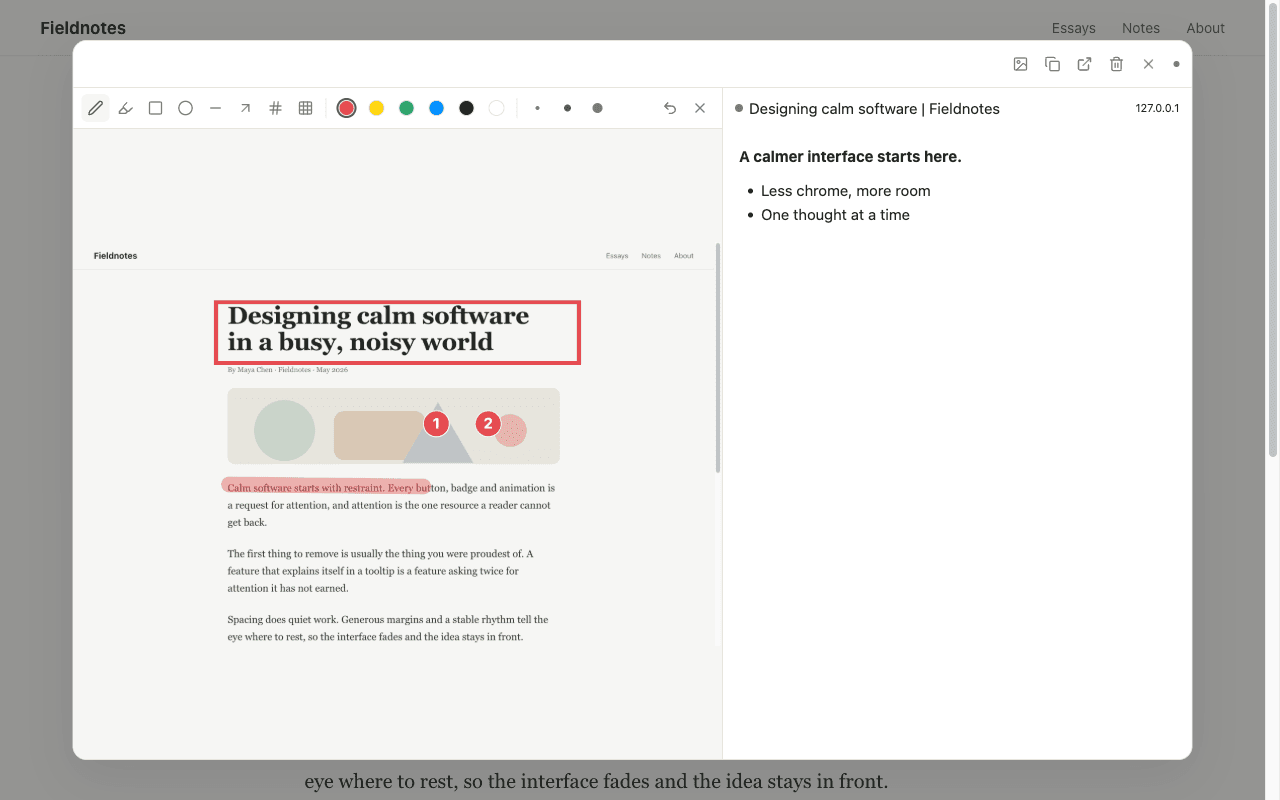
A thought comes while you read a page. One click takes a screenshot of what you see and opens a blank note beside it. Mark it up, write, and find it again later.
What it does
One click, one note
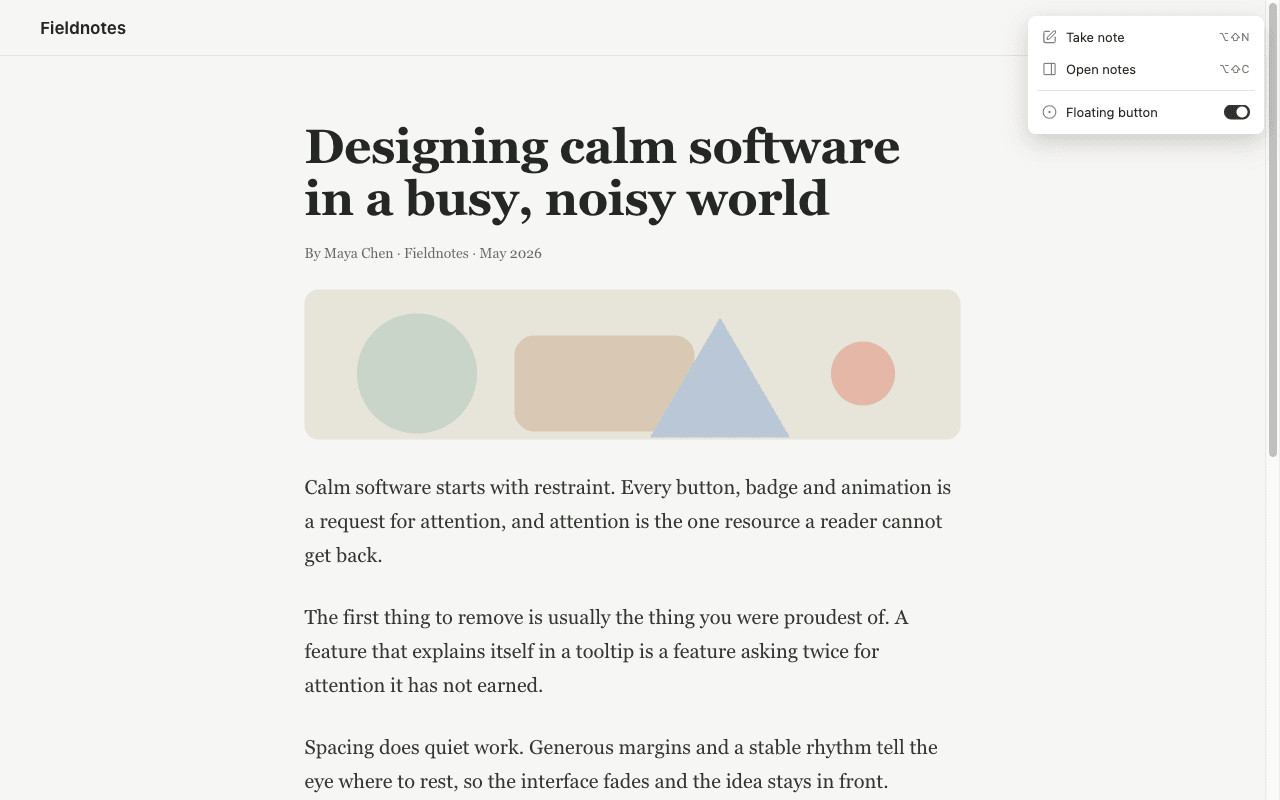
Press the button or Alt+Shift+N. Clipnote takes a screenshot of what you see and opens a blank note beside it.
Mark the screenshot
Pen, marker, rectangle, circle, line, arrow and blur. Numbered badges for step-by-step notes. You pick the colour and the stroke size.
Write on a blank page
No form and no Save button. Select text to get bold, italic, code, links, lists and quotes. The note saves by itself.
Find it later
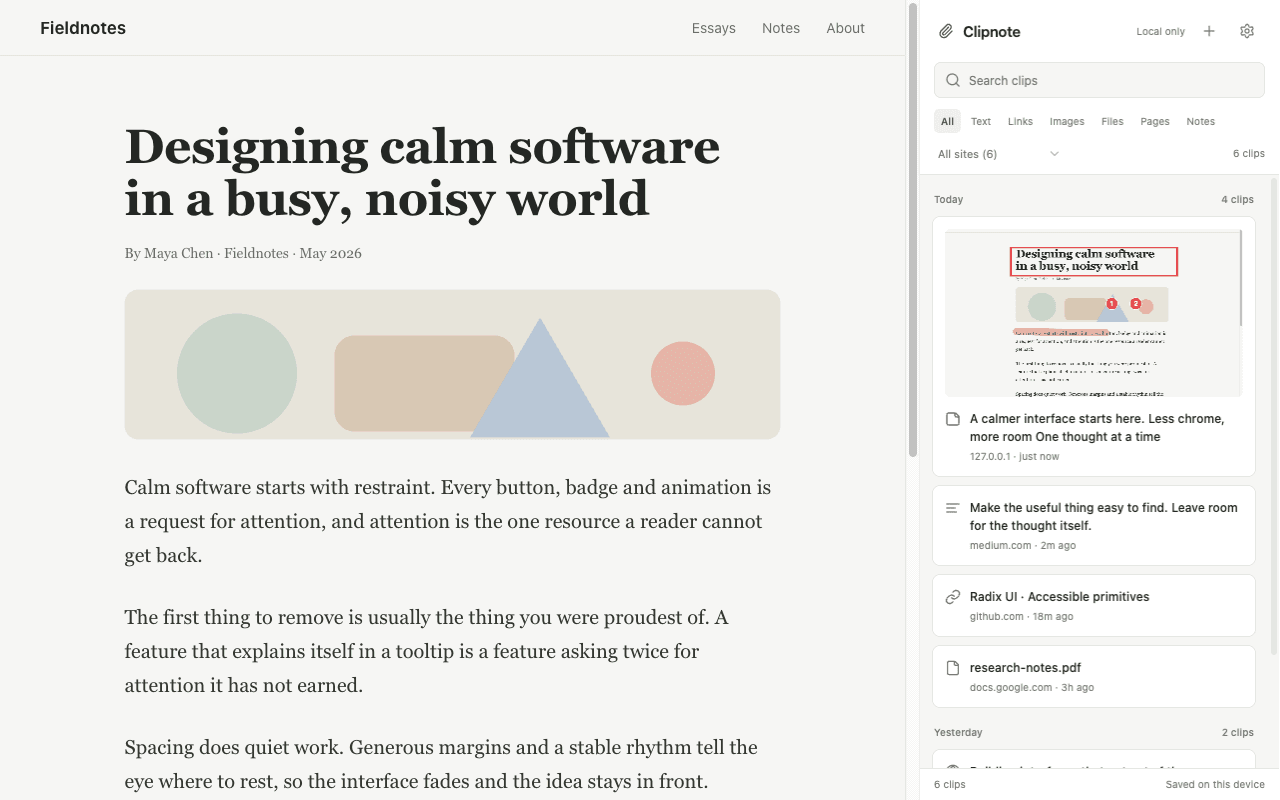
The side panel lists every note and clip. Search, or filter by type and by site. Open a note at the same place on the page.
Copy it anywhere
Copy the screenshot alone, or the screenshot with the note, and paste it into a chat, an issue or a document. Export everything to Markdown or JSON.
Yours alone
Notes and screenshots stay in your browser, on your device. There is no account, no server and no tracking.
Shortcuts
- Take a noteAlt+Shift+N
- Save the selected textAlt+Shift+S
- Open your notesAlt+Shift+C
Private by design
Clipnote has no account and no server. Your notes, screenshots and the addresses of the pages you saved stay in the browser on your device. The only network request it makes is to fetch an image when you choose to save that image.